
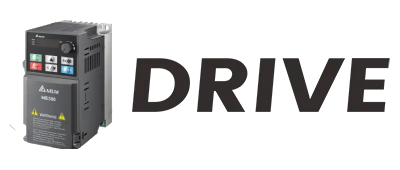
When it comes to industrial automation, the IO-Link communication interface has emerged as a game-changer. As an IO-Link supplier, I've witnessed firsthand the transformative power of this technology in streamlining operations, enhancing efficiency, and providing real-time data insights. However, with a plethora of options available in the market, choosing the right IO-Link communication interface can be a daunting task. In this blog post, I'll share some key considerations to help you make an informed decision.
Understanding IO-Link Basics
Before delving into the selection process, it's essential to have a solid understanding of what IO-Link is and how it works. IO-Link is an open, standardized point-to-point communication protocol that allows for seamless data exchange between sensors, actuators, and control systems. It operates on a three-wire unshielded cable, making it easy to install and integrate into existing industrial networks.
One of the primary advantages of IO-Link is its ability to provide bidirectional communication. This means that not only can the control system receive data from sensors, but it can also send commands and configuration parameters to actuators. This two-way communication enables real-time monitoring, diagnostics, and remote parameterization, resulting in improved process control and reduced downtime.
Assessing Your Application Requirements
The first step in choosing the right IO-Link communication interface is to assess your specific application requirements. Consider the following factors:
1. Device Compatibility
Ensure that the IO-Link interface you choose is compatible with the sensors and actuators you plan to use. Most IO-Link devices are designed to be interoperable, but it's still important to check the device specifications to avoid any compatibility issues. For example, some sensors may require a specific IO-Link master with a certain communication speed or power supply.
2. Communication Speed
The communication speed of an IO-Link interface determines how quickly data can be transferred between the devices. Depending on your application, you may need a high-speed interface to support real-time data processing. IO-Link offers three different communication speeds: COM1 (4.8 kbaud), COM2 (38.4 kbaud), and COM3 (230.4 kbaud). Choose the speed that best suits your requirements.
3. Number of Channels
The number of channels on an IO-Link interface refers to the number of sensors and actuators that can be connected to it. Consider the number of devices you need to integrate into your system and choose an interface with an adequate number of channels. Some IO-Link masters offer expandable channels, allowing you to add more devices as your needs grow.
4. Power Requirements
IO-Link devices require a certain amount of power to operate. Make sure that the IO-Link interface you choose can provide sufficient power to all connected devices. Some interfaces may offer additional power supply options, such as external power modules, to meet the power requirements of high-power devices.
5. Environmental Conditions
If your application operates in harsh environmental conditions, such as high temperatures, humidity, or dust, you need to choose an IO-Link interface that is rugged and reliable. Look for interfaces with a high IP (Ingress Protection) rating, which indicates their resistance to dust and water. Additionally, consider interfaces that are designed to withstand vibrations and shocks.
Evaluating Interface Features
Once you've assessed your application requirements, it's time to evaluate the features of different IO-Link communication interfaces. Here are some key features to look for:
1. Diagnostic Capabilities
A good IO-Link interface should provide comprehensive diagnostic information about the connected devices. This includes information such as device status, error messages, and parameter settings. Diagnostic capabilities can help you quickly identify and troubleshoot any issues, reducing downtime and improving productivity.
2. Configuration Tools
Look for an IO-Link interface that comes with user-friendly configuration tools. These tools allow you to easily configure the interface and the connected devices, including setting parameters, assigning addresses, and monitoring data. Some configuration tools may also offer advanced features, such as remote configuration and firmware updates.
3. Communication Protocols
In addition to IO-Link, many interfaces support other communication protocols, such as Ethernet/IP, Profibus, or Modbus. This allows you to integrate the IO-Link system with existing industrial networks and control systems. Consider the communication protocols that are commonly used in your industry and choose an interface that supports them.
4. Safety Features
Safety is a critical consideration in industrial automation. Look for an IO-Link interface that offers safety features, such as safe communication, fail-safe operation, and emergency stop functionality. These features can help ensure the safety of your workers and equipment.
Considering Integration and Support
When choosing an IO-Link communication interface, it's important to consider the ease of integration and the level of support provided by the supplier. Here are some factors to keep in mind:
1. Integration with Existing Systems
Ensure that the IO-Link interface can be easily integrated into your existing industrial network and control system. Look for interfaces that offer plug-and-play functionality and support standard communication protocols. Additionally, consider the availability of software drivers and libraries to simplify the integration process.
2. Technical Support
Choose a supplier that offers comprehensive technical support. This includes documentation, training, and online resources to help you install, configure, and troubleshoot the IO-Link interface. A reliable supplier should also provide prompt customer support in case you encounter any issues.
3. Future Expansion
As your business grows and your automation needs change, you may need to expand your IO-Link system. Look for an interface that offers scalability and flexibility, allowing you to easily add more devices and functionality in the future.
Recommended IO-Link Products
As an IO-Link supplier, I recommend the following products for different applications:
1. IO-Link Device Module
This module provides a cost-effective solution for connecting IO-Link sensors and actuators to a control system. It offers multiple channels, high communication speed, and easy configuration. The module is also compatible with a wide range of IO-Link devices, making it a versatile choice for various applications.
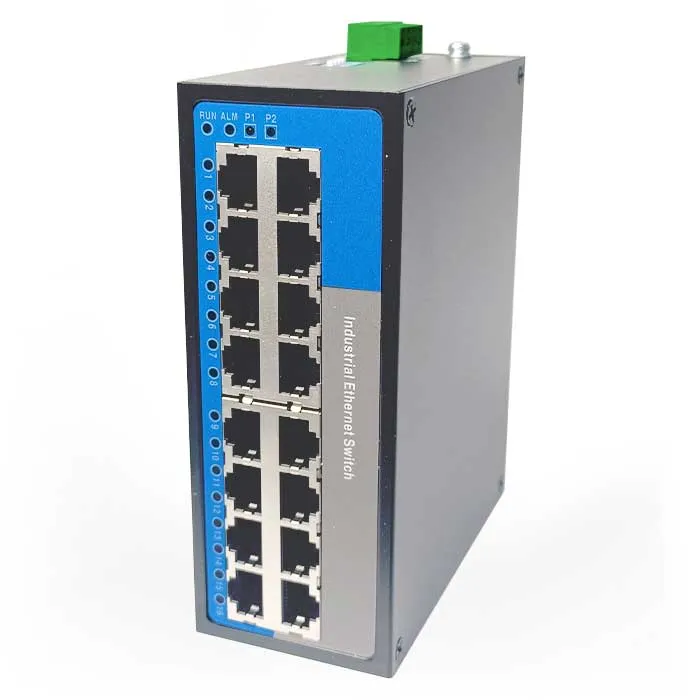
2. Unmanaged Switch
An unmanaged switch is a simple and reliable way to expand your IO-Link network. It allows you to connect multiple IO-Link masters and devices to a single Ethernet network, providing seamless communication and data sharing. The switch is easy to install and requires no configuration, making it ideal for small to medium-sized applications.
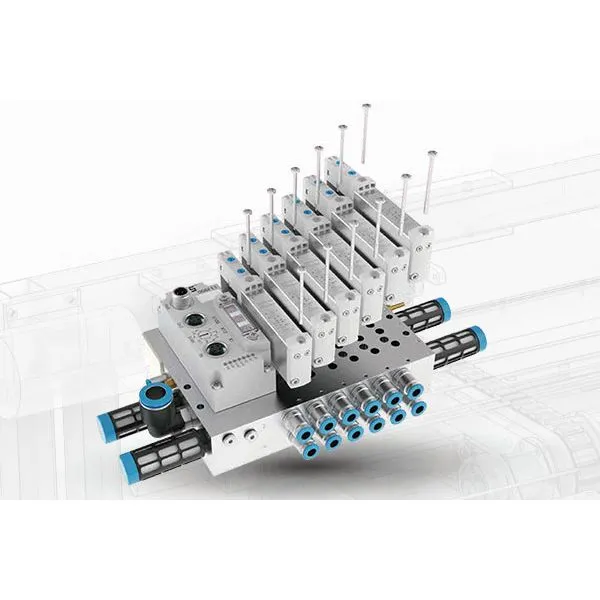
3. Valve Islands
Valve islands are used to control pneumatic valves in industrial automation systems. They offer a compact and efficient way to manage multiple valves, reducing the amount of wiring and installation time. IO-Link valve islands provide bidirectional communication, allowing for real-time monitoring and control of the valves.
Conclusion
Choosing the right IO-Link communication interface is crucial for the success of your industrial automation project. By assessing your application requirements, evaluating the interface features, and considering integration and support, you can make an informed decision that meets your needs and budget. As an IO-Link supplier, I'm here to help you every step of the way. If you have any questions or need assistance in choosing the right IO-Link solution for your application, please don't hesitate to contact me. Let's work together to take your industrial automation to the next level.
References
- "IO-Link - The Standard for Sensor and Actuator Communication," IO-Link Community.
- "Industrial Communication Protocols: A Guide," Automation World.
- "Choosing the Right IO-Link Master," Rockwell Automation.