
As a Textile VFD supplier, I understand the importance of seamless communication between Textile VFDs and other devices. In the textile industry, where precision and efficiency are crucial, establishing reliable communication using the appropriate protocol can significantly enhance the overall performance of the production line. This blog post will guide you through the process of establishing communication between Textile VFDs and other devices using its protocol.
Understanding Textile VFDs and Their Protocols
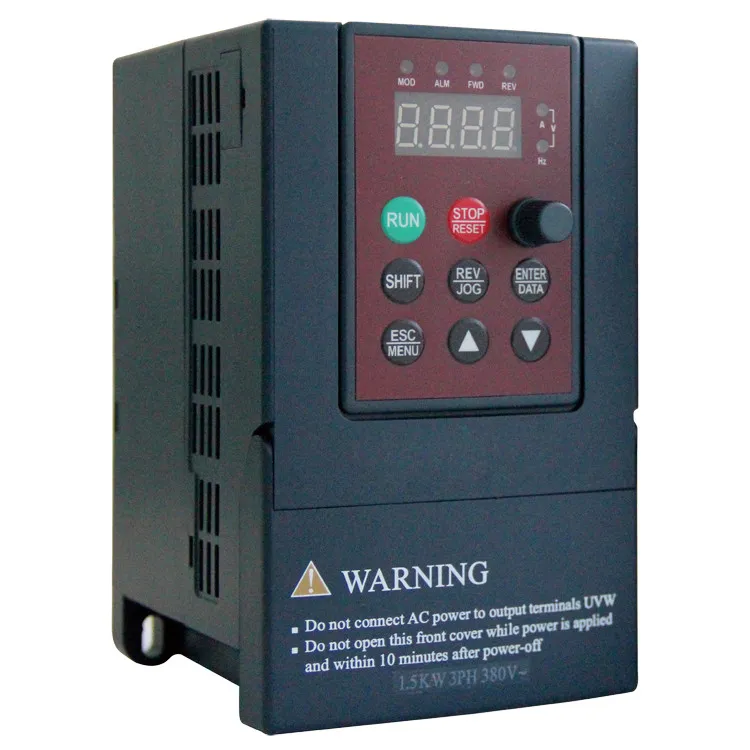
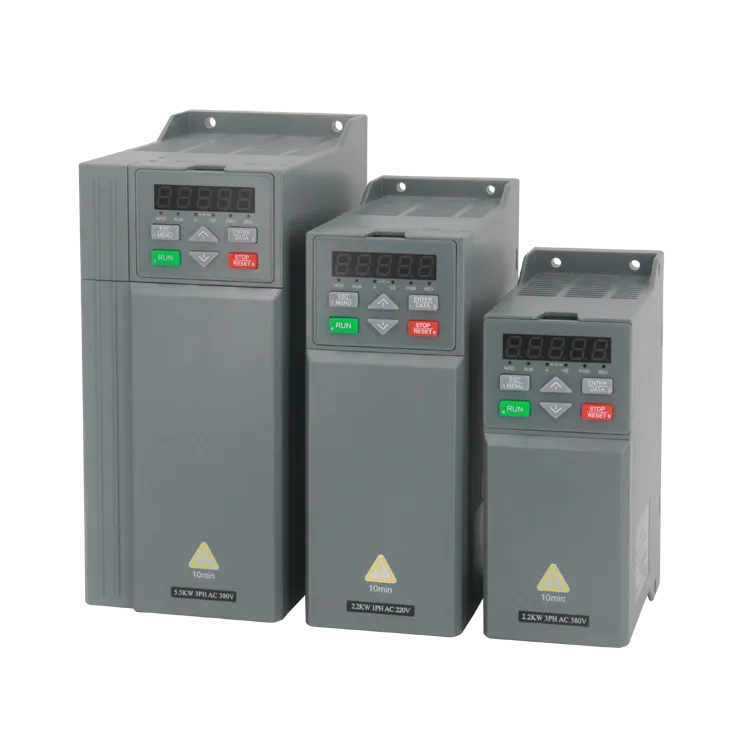
Before delving into the communication process, it's essential to have a clear understanding of Textile VFDs and the protocols they support. A Variable Frequency Drive (VFD) is an electronic device that controls the speed and torque of an electric motor by varying the frequency and voltage supplied to it. In the textile industry, VFDs are widely used to control the speed of various machines, such as spinning frames, looms, and winding machines.
Textile VFDs typically support a range of communication protocols, including Modbus, Profibus, CANopen, and Ethernet/IP. These protocols allow the VFD to exchange data with other devices, such as Programmable Logic Controllers (PLCs), Human - Machine Interfaces (HMIs), and sensors. Each protocol has its own characteristics, advantages, and limitations, and the choice of protocol depends on several factors, such as the distance between devices, the amount of data to be transferred, and the level of reliability required.
Steps to Establish Communication
Step 1: Select the Appropriate Protocol
The first step in establishing communication between a Textile VFD and other devices is to select the appropriate protocol. Consider the following factors when making your decision:
- Compatibility: Ensure that the VFD and other devices support the same protocol. Most modern Textile VFDs support multiple protocols, so you can choose the one that is most compatible with your existing equipment.
- Data Transfer Requirements: Evaluate the amount of data that needs to be transferred between the VFD and other devices. Some protocols, such as Modbus, are suitable for transferring small amounts of data, while others, like Ethernet/IP, can handle large - scale data transfer.
- Distance: Consider the distance between the VFD and other devices. For short - distance communication, protocols like CANopen may be sufficient, while for longer distances, Ethernet - based protocols may be more appropriate.
Step 2: Configure the VFD for Communication
Once you have selected the protocol, the next step is to configure the VFD for communication. This typically involves the following tasks:
- Set the Communication Parameters: Configure the communication parameters of the VFD, such as the baud rate, parity, stop bits, and slave address. These parameters must match the settings of the other devices on the network.
- Enable the Protocol: Enable the selected protocol on the VFD. This may involve accessing the VFD's configuration menu and selecting the appropriate protocol option.
- Map the Data Registers: Map the data registers on the VFD to the corresponding data points on the other devices. This allows the VFD to exchange specific data, such as speed setpoints, motor status, and fault information.
Step 3: Configure the Other Devices
After configuring the VFD, you need to configure the other devices on the network to communicate with the VFD. This may involve:
- Install the Necessary Drivers: Install the drivers for the selected protocol on the other devices, such as the PLC or HMI. These drivers enable the devices to communicate with the VFD using the chosen protocol.
- Set the Communication Parameters: Configure the communication parameters of the other devices to match the settings of the VFD. This includes setting the baud rate, parity, stop bits, and master address.
- Establish the Communication Link: Use the device's configuration software to establish a communication link with the VFD. This may involve scanning the network for the VFD, entering the VFD's slave address, and testing the communication link.
Step 4: Test the Communication
Once all the devices are configured, it's time to test the communication between the Textile VFD and other devices. This involves:
- Send and Receive Data: Use the device's software to send and receive data between the VFD and other devices. Check if the data is being transferred accurately and in a timely manner.
- Monitor the Status: Monitor the status of the VFD and other devices during the communication test. Look for any error messages or abnormal behavior, and troubleshoot any issues that arise.
- Verify the Functionality: Verify that the communication is enabling the desired functionality, such as remote speed control, motor status monitoring, and fault reporting.
Troubleshooting Communication Issues
Despite careful configuration, communication issues may still occur. Here are some common problems and their solutions:
- No Communication: If there is no communication between the VFD and other devices, check the communication parameters, such as the baud rate and slave address, to ensure they are correctly set. Also, check the physical connections, such as cables and connectors, for any damage or loose connections.
- Data Transfer Errors: If data transfer errors occur, check the parity settings and the integrity of the data. You may also need to increase the baud rate or reduce the amount of data being transferred.
- Interference: If there is interference in the communication, try using shielded cables, separating the communication cables from power cables, and reducing the electromagnetic interference in the environment.
Our Product Range
As a Textile VFD supplier, we offer a wide range of high - quality VFDs suitable for various textile applications. Our product range includes:
- Mini VFD: These compact VFDs are ideal for small - scale textile machines, offering precise speed control and energy efficiency.
- VFD Vector Inverter: Our vector inverters provide high - performance control of AC motors, ensuring smooth operation and accurate speed regulation in textile production.
- CNC VFD: Designed for Computer Numerical Control (CNC) textile machines, these VFDs offer advanced features and excellent compatibility with CNC systems.
Contact Us for Purchase and Consultation
If you are interested in our Textile VFD products or need further assistance in establishing communication between Textile VFDs and other devices, please feel free to contact us. Our team of experts is ready to provide you with professional advice and support. We can help you select the most suitable VFD for your application, configure the communication protocol, and troubleshoot any issues that may arise.
References
- "Variable Frequency Drives: Selection, Application, and Troubleshooting" by Paul D. McCombie.
- "Industrial Communication Technology Handbook" by Andreas Schöller.
- Technical documentation provided by VFD manufacturers.