
How to handle the overload situation of a DC servo driver?
As a supplier of DC Servo Drivers, I've witnessed firsthand the challenges that come with managing these sophisticated pieces of equipment. One of the most common issues that users face is the overload situation of a DC servo driver. In this blog, I'll share some insights on how to handle this problem effectively.
Understanding the Causes of Overload
Before we delve into the solutions, it's crucial to understand what causes a DC servo driver to overload. There are several factors that can contribute to this issue:
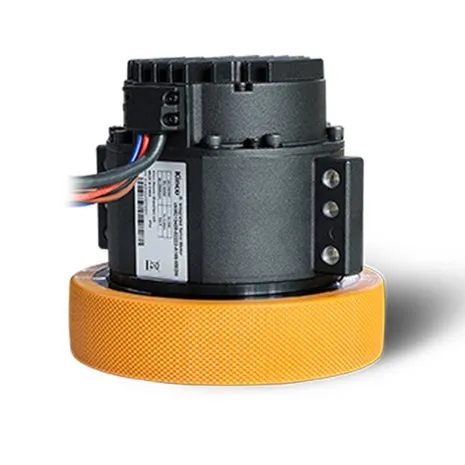
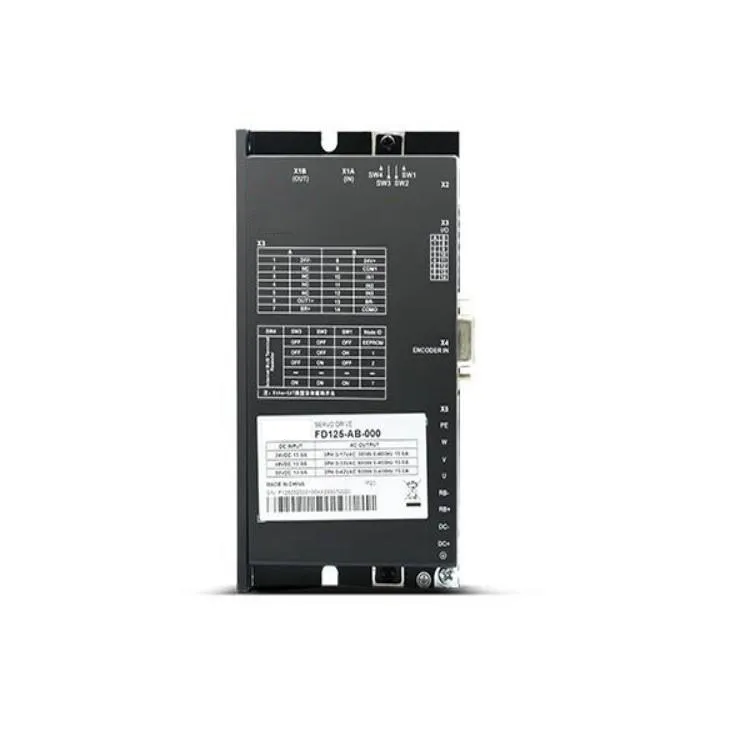
- Excessive Load on the Motor: If the mechanical load connected to the Low-voltage Servo Motor is too high, the driver will have to supply more current to maintain the desired speed and torque. This can lead to overheating and eventually overload the driver.
- Incorrect Parameter Settings: Incorrectly setting parameters such as current limit, speed limit, and torque limit can cause the driver to operate outside its designed range. This can result in excessive current draw and overload the driver.
- Faulty Motor or Driver: A malfunctioning motor or driver can also cause an overload. For example, a short circuit in the motor windings or a faulty power module in the driver can lead to increased current consumption.
- Environmental Factors: High ambient temperatures, poor ventilation, and dust accumulation can all affect the performance of the DC servo driver and increase the risk of overload.
Detecting an Overload Situation
Early detection of an overload situation is crucial to prevent damage to the DC servo driver and the connected motor. Most modern DC servo drivers are equipped with built-in protection mechanisms that can detect an overload and trigger an alarm or shut down the system. Some common signs of an overload include:
- Overheat Alarm: The driver may emit an overheat alarm if the temperature exceeds a certain threshold. This is usually accompanied by a warning light on the driver's display.
- Current Limiting: The driver may automatically limit the current output to prevent damage. This can cause the motor to lose torque and slow down.
- Error Codes: The driver may display error codes indicating an overload condition. Refer to the driver's manual for a list of error codes and their meanings.
- Abnormal Noise or Vibration: An overloaded motor may produce abnormal noise or vibration. This can be a sign of excessive stress on the motor and driver.
Handling an Overload Situation
Once an overload situation is detected, it's important to take immediate action to prevent further damage. Here are some steps you can take to handle an overload situation:
- Stop the System: The first step is to stop the system and disconnect the power supply to the DC servo driver and the motor. This will prevent further damage and allow the driver to cool down.
- Check the Load: Inspect the mechanical load connected to the motor to ensure that it is within the driver's rated capacity. Remove any excessive or unnecessary loads.
- Verify Parameter Settings: Review the parameter settings of the DC servo driver to ensure that they are correct. Check the current limit, speed limit, and torque limit settings and adjust them if necessary.
- Inspect the Motor and Driver: Check the motor and driver for any signs of damage or malfunction. Look for loose connections, burnt components, or signs of overheating. If you suspect a problem, consult a qualified technician for further diagnosis and repair.
- Improve Ventilation: Ensure that the DC servo driver has adequate ventilation to prevent overheating. Clean any dust or debris from the driver's cooling fins and ensure that the ventilation fans are working properly.
- Reduce Ambient Temperature: If possible, reduce the ambient temperature in the area where the DC servo driver is installed. This can be achieved by using air conditioning or improving the ventilation in the room.
- Reset the Driver: After addressing the cause of the overload, reset the DC servo driver and restart the system. Monitor the driver's performance closely to ensure that the overload situation has been resolved.
Preventing Overload Situations
Preventing overload situations is always better than dealing with them after they occur. Here are some tips to help you prevent overload situations in your DC servo driver system:
- Proper Sizing: Select a DC servo driver and motor that are appropriately sized for the application. Consider the load requirements, speed, torque, and duty cycle when choosing the driver and motor.
- Correct Parameter Settings: Configure the parameter settings of the DC servo driver correctly. Follow the manufacturer's recommendations and guidelines to ensure that the driver operates within its designed range.
- Regular Maintenance: Perform regular maintenance on the DC servo driver and the connected motor. This includes cleaning, lubrication, and inspection of the components. Replace any worn or damaged parts as needed.
- Environmental Management: Ensure that the DC servo driver is installed in a clean, dry, and well-ventilated environment. Avoid exposing the driver to high temperatures, humidity, and dust.
- Use Protective Devices: Install protective devices such as fuses, circuit breakers, and surge protectors to prevent damage to the DC servo driver from electrical faults.
- Training and Education: Provide training to the operators and maintenance personnel on the proper use and maintenance of the DC servo driver system. This will help them identify and address potential problems before they become serious.
Conclusion
Handling the overload situation of a DC servo driver requires a combination of knowledge, experience, and proactive maintenance. By understanding the causes of overload, detecting the problem early, and taking appropriate action, you can prevent damage to the driver and the connected motor and ensure the reliable operation of your system.
As a supplier of DC Servo Driver, we are committed to providing high-quality products and excellent customer service. If you have any questions or need further assistance with your DC servo driver system, please don't hesitate to contact us. We'll be happy to help you find the best solution for your application.
If you're interested in purchasing our DC servo drivers or Integrated Servo Wheel, we welcome you to reach out to us for a detailed discussion. Our team of experts is ready to assist you in finding the most suitable products for your specific requirements.
References
- Manufacturer's manuals for DC servo drivers and motors
- Industry standards and guidelines for servo drive systems
- Technical articles and research papers on DC servo driver technology