
Hey there! As a supplier of industrial HMIs (Human - Machine Interfaces), I'm often asked about the mounting requirements for these essential devices. In this blog, I'll share some key points about what you need to consider when mounting an industrial HMI.
1. Environmental Considerations
First off, the environment where the HMI will be installed plays a huge role. Industrial settings can be harsh, with factors like dust, moisture, and extreme temperatures.
If you're dealing with a dusty environment, you'll want to choose a mounting option that protects the HMI from particle ingress. For example, a sealed enclosure can be a great choice. These enclosures are designed to keep dust out and can significantly extend the lifespan of your HMI. You can find some great options that are specifically built to withstand dusty conditions on our website.
Moisture is another big concern. In areas with high humidity or where there's a risk of water splashes, such as in food processing plants or near water treatment facilities, you need a waterproof or at least water - resistant mounting solution. Some HMIs come with IP (Ingress Protection) ratings. For instance, an IP65 - rated HMI is dust - tight and protected against low - pressure water jets from any direction. Make sure to check the IP rating of the HMI and choose a mounting method that maintains this level of protection.
Temperature extremes can also impact the performance of an HMI. In very hot environments, like foundries or steel mills, the HMI may overheat if not properly mounted. You might need to install cooling systems or choose a mounting location that allows for good ventilation. On the other hand, in cold environments, such as refrigerated warehouses, the HMI may experience slow response times or even malfunction. Insulation or heating elements in the mounting can help keep the HMI at an optimal operating temperature.
2. Mounting Location
The location where you mount the HMI is crucial for both functionality and user convenience.
It should be placed within easy reach of the operators. If it's too far away, operators will have to stretch or move around a lot, which can be time - consuming and potentially dangerous. For example, in a control room, the HMI should be at a comfortable eye - level and within arm's reach of the operator's workstation.
Visibility is also key. The HMI screen should be clearly visible without any glare or obstruction. Avoid mounting it in direct sunlight or in areas where there are bright lights shining directly on the screen. You might need to adjust the angle of the HMI or use anti - glare filters to improve visibility.
In addition, the mounting location should be stable. Industrial environments often have vibrations from machinery. If the HMI is not mounted securely, these vibrations can cause the screen to shake, making it difficult to read and operate. You can use vibration - dampening mounts to reduce the impact of vibrations on the HMI.
3. Mounting Type
There are several types of mounting options available for industrial HMIs, and each has its own advantages.

Wall - Mounting
Wall - mounting is one of the most common methods. It's great for saving floor space and keeping the HMI in a fixed position. When wall - mounting, make sure the wall is strong enough to support the weight of the HMI. You'll need to use appropriate wall anchors or bolts. Also, ensure that the wall is flat and level to prevent the HMI from tilting. Wall - mounted HMIs are often used in control rooms, production areas, and warehouses.
Panel - Mounting
Panel - mounting involves installing the HMI directly into a control panel. This is a popular choice in industrial automation systems. It provides a clean and integrated look, and the HMI can be easily connected to other control components within the panel. However, panel - mounting requires careful planning. You need to ensure that there is enough space in the panel for the HMI and that the cut - out dimensions are accurate. Any misalignment can make it difficult to install the HMI properly.
Arm - Mounting
Arm - mounting is flexible and allows the HMI to be moved and adjusted easily. It's ideal for applications where the operator needs to access the HMI from different positions. For example, in a large manufacturing plant, an arm - mounted HMI can be adjusted to follow the movement of a machine or an operator. There are different types of arms available, such as single - arm, double - arm, and telescopic arms. Each type offers different levels of movement and reach.
4. Electrical and Wiring Requirements
Proper electrical and wiring connections are essential for the safe and reliable operation of an industrial HMI.
The power supply to the HMI should be stable. Fluctuations in voltage can damage the HMI or cause it to malfunction. Use a regulated power supply or a UPS (Uninterruptible Power Supply) to ensure a consistent power source.
Wiring should be neatly organized and protected. In industrial environments, there are often other electrical cables and equipment nearby. The HMI wiring should be separated from high - voltage cables to avoid interference. You can use cable trays, conduits, or cable management systems to keep the wiring organized and protected from damage.
5. Compatibility with Other Equipment
The industrial HMI needs to be compatible with other equipment in the system. This includes the control system, sensors, and actuators.
Make sure that the communication protocols of the HMI are compatible with those of the other devices. For example, if your control system uses Modbus, the HMI should support Modbus communication. Incompatible communication protocols can lead to data transfer issues and system failures.
The HMI should also be able to handle the data volume from other equipment. If there are a large number of sensors sending data to the HMI, it needs to have enough processing power and memory to handle this data effectively.
6. Specific Applications and Their Mounting Requirements
Different applications have unique mounting requirements.
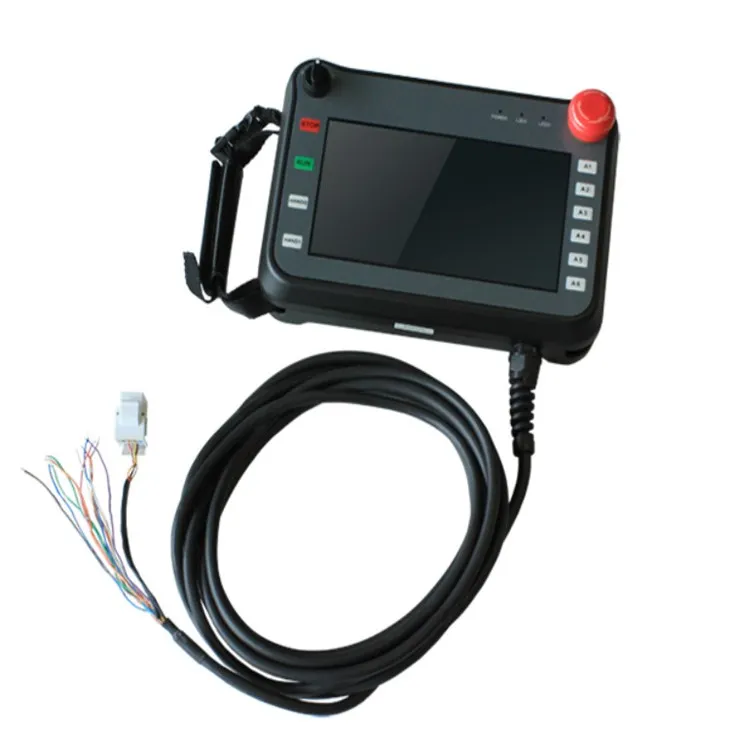
Handheld HMI
For Handheld HMI, portability is the key. They are designed to be carried around by operators, so they need to be lightweight and easy to hold. The mounting requirements here are more about the ergonomics of the device itself. It should have a comfortable grip and be easy to operate with one hand. Handheld HMIs are often used in maintenance, inspection, and field service applications.
Car Touch Screen
In the case of Car Touch Screen, the mounting needs to be secure to withstand the vibrations and movements of the vehicle. It should also be placed in a location that doesn't obstruct the driver's view. For example, it can be mounted on the dashboard or the center console.
Charging Pile Touch Screen
The Charging Pile Touch Screen should be mounted at a height that is easy for users to reach and interact with. It needs to be weather - resistant as charging piles are often installed outdoors. A sturdy and weather - proof mounting structure is essential to ensure the long - term operation of the touch screen.
Conclusion
Mounting an industrial HMI correctly is crucial for its performance, reliability, and user experience. By considering environmental factors, mounting location, type, electrical requirements, compatibility with other equipment, and specific application needs, you can ensure that your HMI operates smoothly in any industrial setting.
If you're in the market for an industrial HMI and need advice on the best mounting solutions, or if you have any other questions, don't hesitate to reach out. We're here to help you make the right choice for your industrial automation needs. Let's start a conversation and find the perfect HMI and mounting solution for your business!
References
- Industrial Automation Handbook
- HMI Manufacturer's Installation Guides
- Industry Standards for Industrial Equipment Mounting